Pages

August 21, 2015

September - CT PTU Tut - Bonfire Nights by Jackie's Jewels


I am using PSP X6 to create this tag but any other version will work!

Stunning kit by Jackie's Jewels named "Bonfire Nights"

Gorgeous work by Di Halim

Mask is by Me #27

FTU Font Anha Queens VMF

No Outside Filters Used!

Here we go!

Open new image 700 x 700. Make your Mask, I used Paper 4 for mine, duplicate maks layer Merge Down. Resize tube to 35 c/p onto canvas
El 82 resize by 55 flip horizontal c/p and place underneath tube. 
El 41 House resize to 80 c/p place to the right for now, you will move it as you add on elements. El 35 resize by 80 place to the right on front of House layer 
El 86 Grass c/p and place to the bottom in front of Tree. El 8 Flowers resize by 40 c/p and place towards bottom in front of Grass layer. El 34 Log resize by 80 c/p and place to the bottom in front of Flowers. El 35 Leaf Scatter resize by 80 c/p and place just underneath Log, duplicate this layer and move towards left. El 15 Car resize by 35 c/p and place towards left side of House. You can move your house as you see fit. you want to make it look like its in distance. El 71 Lantern resize by 40 c/p and place by tube. El 9 Rose resize by 30 c/p and place behind Lantern to the left. Duplicate Rose twice and scatter as you wish at the bottom. El 19 Pumkin resize by 50 c/p and place towards the left behind Log. El 40 Camera resize by 30 c/p and place by right Lantern. El 56 Bunny resize by 40 c/p and place towards middle by Log. El 84 resize by 30 c/p and place by Lanter to the left. Go back to El 8 FLowers this time resize by 40 rotate right, c/p and place to the fat left. El 51 Ribbon resize by 80 flip horizontal c/p and place to fat right by Log. El 31 Walnuts resize by 30 c/p and place by Bunny duplicate layer and place in front of Lantern. El 16 resize by 50 c/p and place to far left behind 82. Add your drop shadows!
Duplicate tag go to properties Overlay and lower opacity.
Add your name, CR and License
Save as PNG!
Thanks for looking!
post signature

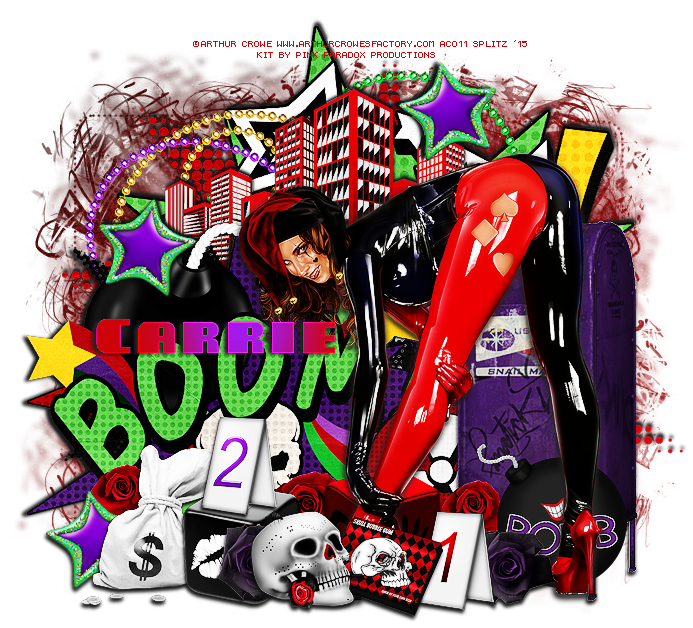
Joker's Wild - CT PTU Tut - Why So Serious by Pink Paradox Productions


I am using PSP X6 to create this tag but any other program or version will work.


Fabous fun kit by Pink Paradox Productions named "Why so Serious"

Awesome art of Arthur Crowe

Mask is by Mille #41

FTU Font
Miele

No Outside Filters Used

HERE WE GO!

Open Image 700 x 700 c/p tube onto canvas. El 107 POW c/p and place towards top right.  behind tube. El 129  Skyline resize by 60 place to the top over POW Layer. El 103 BOOM resize by 50 c/p place towards right, aligning it with Skyline  El 22 Dice resize by 40 c/p and place towards bottom left behind tube. EL 76 Skull resize by 20 c/p and and place by tube. El 124 Gum resize by 20 c/p and place by Skull. Elements Cards "1" and "2" resize by 20 place them as you wish at the bottom. El 30 Bomb resize by 25 c/p and place to bottom far right.  El 41 Money Bag resize by 20 c/p and place towards bottom left. El 166 resize by 10 /p an place to far left by Money Bag, duplicate twice and sprinkle the layers around the bottom. El 161 Mailbox resize by 45 c/p and place to far right behind tube layer. El 125 Rose resize by 15 c/p and place to bottom far right by Card 1, duplicate and place layer by Dice. El 83 Star resize by 20 Free rotate left 10 c/p and place to bottom right behind Rose. Duplicate twice and spread the layers as you wish. El 102 resize by 25 c/p and place to left side behind mailbox. Add your drop shadows!
Merge Visible. Duplicate tag, Enhance Edges lower opacity to 55 also add Properties: Overlay!
Add your Mask. I used Paper 2 for mine, Duplicate mask, place one layer to the left and the other to the right. 
Add your name, CR and license
Crop if needed
Save as PNG
Thanks for looking!

   
post signature

August 19, 2015

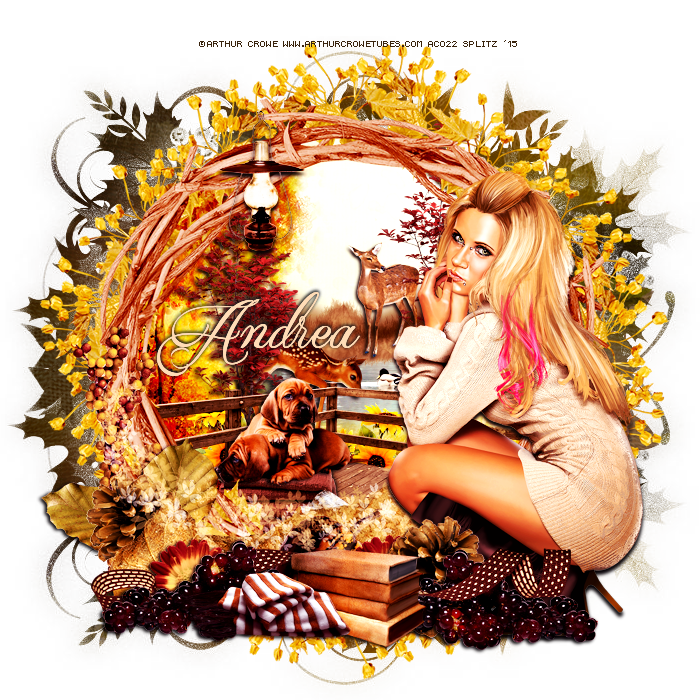
Indian Summer - CT PTU Tut Fall by the Fireside by Drea's Creations

I am using PSP X6 to create this tag but any other version will work. 
Beautiful kit by Drea's Creations named "Fall by the Fireside" available HERE
Gorgeous art by Arthur Crowe. You need alicense to use his work and you can get both HERE
Beautiful mask by Dee. I used # 2 from top HERE
FTU Font Qaskin
No Outside Filters Used
Here we Go!
Open New Image 700 x 700, resize tube by 50 c/p onto canvas. C/P tube of choice onto canvas. El 128 Leaf  Frame resize by 80 c/p and lace behind tube. Magic Wand, click inside frame expand by 10, Paper 13 resize by 70 c/p onto frame. Selections invert delete. Duplicate Paper layer, on copy go to properties: Burn and lower Opacity as you wish. Merge down Paper Layers. Move your tube to far right, lets work with inside of Frame. 
El 64 Fence Corner resize by 50 c/p place towards bottom inside frame. Erase any part of the Fence that is showing outside Frame. El 40 Tree resize by 40 c/p and place towards left behind Fence, duplicate and place towards right. El 15 Sunflowers resize by 20 c/p and place behind Fence towards bottom, duplicate flip horizontal and place by bottom as well. EL 57 Puppies resize by 20 c/p and place on Fence Floor. El 90 Blankets resize by 20 cp and place by Puppies. El 49 Fawn resize by 20 c/p and place behind Tree towards Left. El 47 Grass resize by 30 c/p and place towards back behind tree layers, middle of frame. El 59 Water/Ducks resize by 35 c.p and place between El 47 and Fawn. El 48 Deer resize by 15 c/p and place on top by El 47 Grass. El 34 Firewood resize by 20 c/p and place towards bottom by Fence floor. 
Working out side of Frame. El 6 Leaf c/p and place towards bottom of frame behind tube. El 105 Grapes resize by 40 c/p and place towards left on top of Leaf. El 89 Scarf resize by 25 and place by Grapes. EL 23 Pinecone resize by 25 c/p and place towards bottom behind Leaf. El 97 Pumkin resize by 20 c/p and place by Grapes towards right. El 25 Berries resize by 50 c/p andplace toards left side of Frame. El 17 resize by 20 c/p and place behind Grapes to the left. El 112 Books resize by 20 c/p and place by Scarp. Go back to pinecone layer duplicate flip horizontal and place behind Books towards right. El 75 Lantern resize by 20 c/p and place on top of Frame towards left. El 1 Leaf resize by 35 c/p and place to far left of Frame. Add your accents I added the Ribbon and Scatter. 
Add your drop shadows!
MergeVisible. Go to Photo Effects - Film and Filters: Filter Color #d07fa0.
Duplicate tag, on Copy Properties: Overlay lower Opacity to 44
Add you mask. I used Paper 11 for mine! I Duplicated my Maks then Flip Horizontal. 
Add your Name, License and Copy Write info
Save as PNG!
thanks for Looking!
post signature

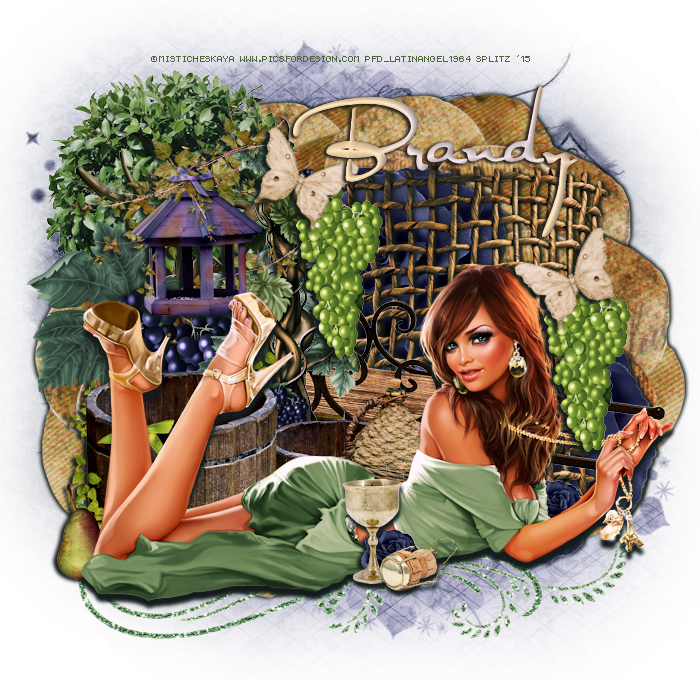
Vineyard - CT PTU Tut - In THe Vines by BLT Dezignz


I am using PSP X6 to create this tag but any other version will work.

using a Fab kit by BLT Dezignz named In the Vines available here

Gorgeous art by Misticheskaya. You need a license to use her art and you can get HERE

Mask is by Me #2  HERE

FTU Font Al Sandra

No Outside Filters Used

Don't Forget Your Drop Shadows

HERE WE GO!
Open new image 700 x 700, Resize tube by 40 c/p onto canvas. El Barrels resize by 15 c/p and place directly behind tube. Flower 1 resize by 50 c/p and place to the far right behind tube.   Duplicate layer  flip horizontal and place to the up above behind Flower 1. Grape 2 resize by 15 c/p and place to the left . EL Vine 2 resize by 10 c/p and place  towards middle by Grape 2. El Birdfeeder resize by 10 c/p and place between Vine 2 and Grape 2. El Plant resize by 20 c/p and place to the left behind  Elements. El Wagon resize by 40 c/p and place towards middle in front of Flower 1 Layers. El Jug resize by 5 c/p and place behind middle of tube. El Mesh resize by 15 c/p and place towards right behind Wagon. El Butterfly and Chalice resize by 5. C/P Chalice by tube in the middle, c/p butterfly by Lantern, duplicate flip horizontal and place that layer by mesh. El Cork resize by 3 c/p and place by Chalice. El Grapes 1 resize by 10 c/p and place by Butterfly and Lantern, duplicate and place this layer by other butterfly by Mesh. El FLower 1 again this time resize by 10 c/p and place by Chalice . El Swirl resize by 35 c/p and place underneath tube. El Flower 5 resize by 45 c/p and place towards left behind Elements. I duplicated this layer 4 times and just moved the layers to frame around the tag.  Add your drop shadows. Add your Mask. 
Add Photo Effects Time Machine Cross Process
Add your name, Cr and license 
Save as PNG!
post signature